Download Clients
Tracker Tracker connects to qBittorrent's web interface to pull live torrent data. This powers the Torrents tab with active downloads and uploads, speeds, seeding counts, ratio histograms, and cross-seed stats.
Supported Clients
| Client | Status |
|---|---|
| qBittorrent | Supported |
| Deluge | Coming soon |
| Transmission | Coming soon |
| rTorrent | Coming soon |
Adding a Client
Go to Settings → Download Clients and fill in your connection details:
| Field | Notes |
|---|---|
| Name | A label for this client |
| Host | Hostname or IP, do not include http:// or https:// |
| Port | Default qBittorrent Web UI port is 8080 |
| Username | qBittorrent Web UI username |
| Password | qBittorrent Web UI password |
| Use SSL | Enable if your qBittorrent Web UI is served over HTTPS |
| URL path | Optional. For a reverse proxy, or Qui's client proxy at <base path>/proxy/<client API key>. Stored encrypted and shown masked |
SSL/port mismatch
The form will warn you if SSL is on with port 80, or SSL is off with port 443. These combinations are usually misconfigured. You can still save, but double-check your settings.
Qui
To go through Qui, set Host and Port to Qui's and the URL path to its client proxy, <base path>/proxy/<client API key>.
Leave the username and password blank. Qui answers the qBittorrent login itself.
If Qui is served over HTTPS, turn on Use SSL on the client's card after adding it.
After saving, use the Test Connection button to confirm Tracker Tracker can reach and authenticate with qBittorrent.
Linking Trackers to a Client
Assign each tracker a qBittorrent tag that matches the label you use for that tracker's torrents. When polling, Tracker Tracker fetches only torrents with the matching tag for per-tracker stats. Open the tracker's settings and fill in the qBittorrent tag field.
How Polling Works
Tracker Tracker runs two polling loops:
Lightweight request for current upload/download speeds. Displayed in the sidebar and uptime tracker.
Fetches the full torrent list per tag and aggregates stats: seeding count, leeching count, speeds. Cached as snapshots so the Torrents tab works even if qBittorrent is briefly offline.
Both loops reuse the same session. qBittorrent only re-authenticates on 403 responses.
Cross-Seed Detection
Use cross-seed to find matching torrents across trackers? Configure cross-seed tags on the download client. Any torrent with one of those tags is counted separately in the cross-seed stats, so you can see how many torrents are cross-seeded vs. original grabs.
Set cross-seed tags in the client settings after adding it. Common tags are cross-seed (the default) or category-based like cs-link-movies, cs-link-tv.
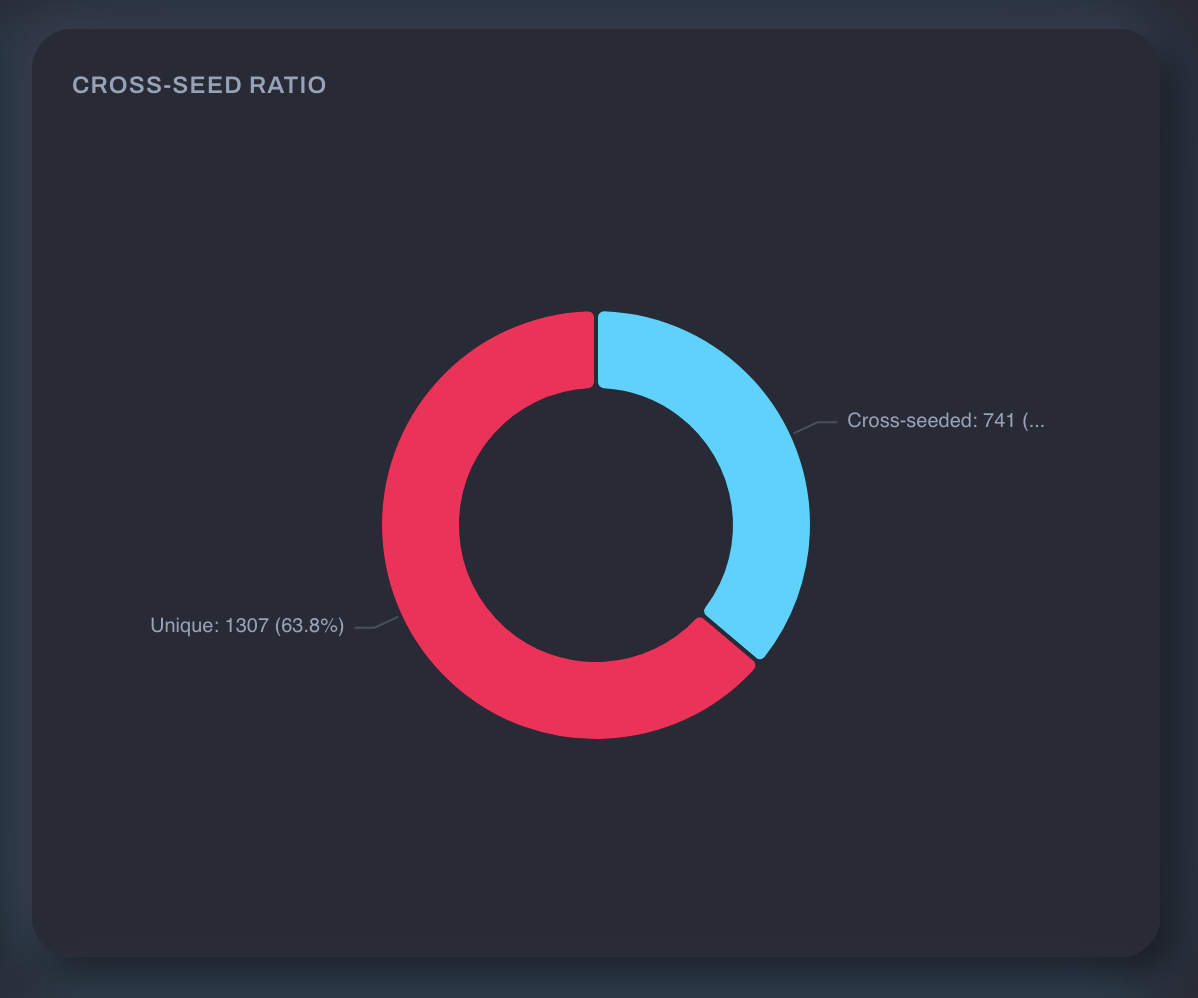
For more on setting up cross-seed itself, see the cross-seed documentation.
Privacy: What Gets Stripped
Tracker Tracker removes these fields from torrent data before caching or displaying:
- Announce URLs (which contain your tracker passkey)
- File paths on disk
This applies everywhere: dashboard, cached lists, API responses.
Credential Security
Your qBittorrent username, password, API key and URL path are encrypted at rest. They're decrypted only in server memory, when Tracker Tracker needs them, and they're never logged.
Troubleshooting
| Error | Meaning |
|---|---|
ECONNREFUSED |
qBittorrent is not running, or the port is wrong |
ENOTFOUND |
The hostname couldn't be resolved. Check for typos |
ETIMEDOUT / timed out after 15s |
qBittorrent didn't respond in time. Check that it's reachable from the Docker container |
Authentication failed. Check username and password |
Wrong credentials |
Authentication failed. SID cookie not found in response |
Unexpected response from qBittorrent. Check that the Web UI is enabled in qBittorrent's settings |
Blank login rejected through the URL path |
Qui refused the client API key in the path, or qBittorrent behind it refused blank credentials |
qBittorrent's API was not found at this address |
Something answered, but not qBittorrent's Web API. Check the port and the URL path |
The Test Connection button forces a fresh login, so errors reflect the current state.